
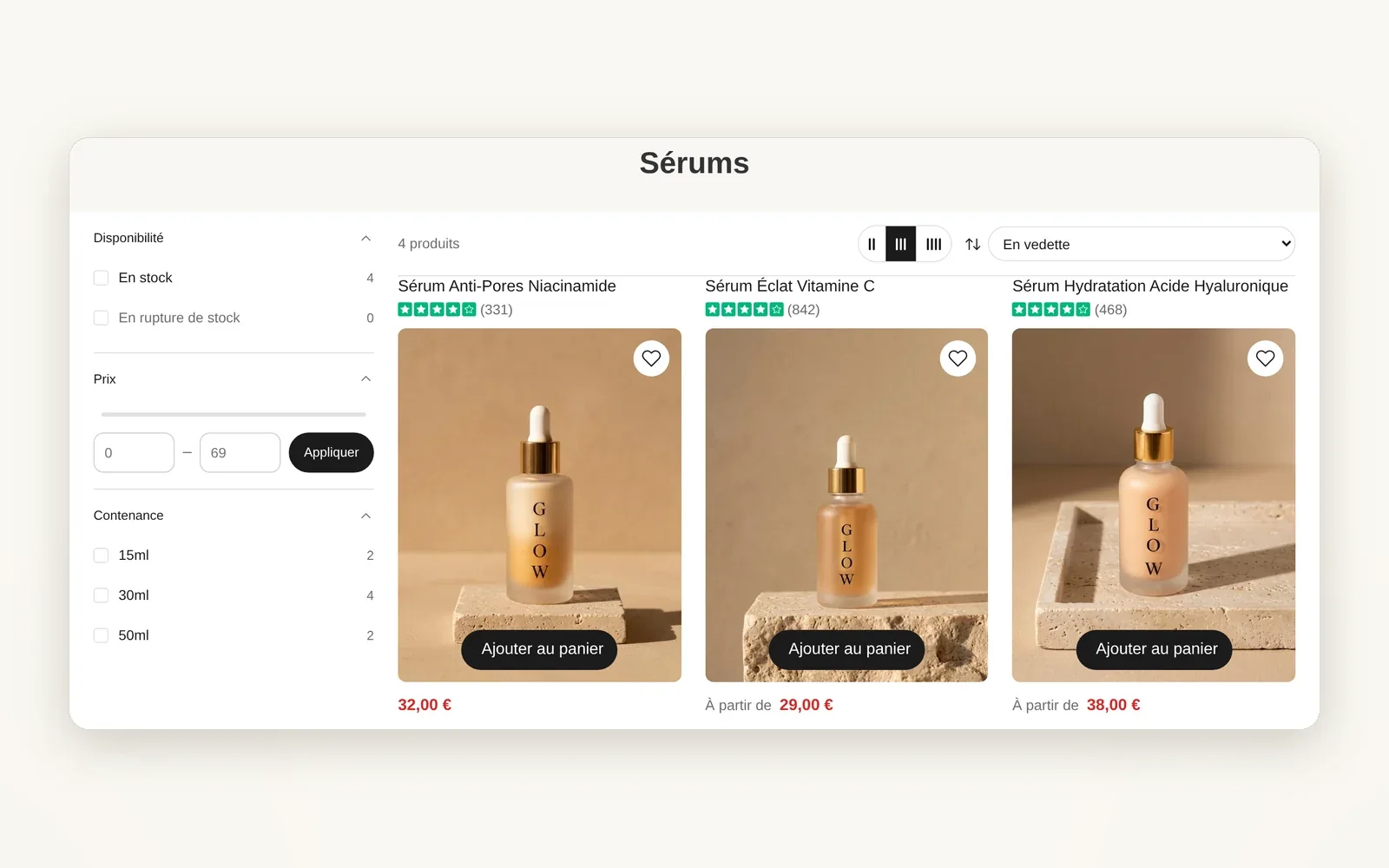
Filters in a column next to the products
Filters stay visible in a column to the left or right of the grid: shoppers filter without opening a menu.
What it does
- Filter column (availability, price, options, Search & Discovery filters)
- Adjustable width and side, column that follows the scroll
- Collapsible groups and product count per filter
What you can set
- Filter layout (Sidebar)
- Sidebar width
- Sidebar side
- Sticky sidebar on scroll
- Sidebar toolbar placement
Where to find it
Theme editor›Collection›Collection page section›Filtering›Filter layout = Sidebar (or Theme settings›Collection)
Filter column to the left of the grid (Disponibilité, Prix, Contenance)
Related features

Your store deserves better than an empty theme.
Try Speedfly for 14 days on your real store. Not convinced? Cancel in one click.